
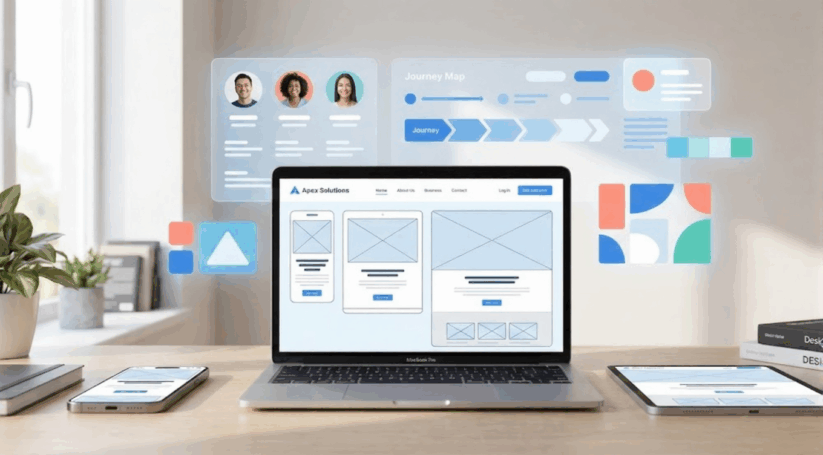
Web design has changed dramatically over the past decade. What started as a rush to accommodate smartphone users has evolved into something more sophisticated. Today’s best websites don’t just work on mobile devices. They anticipate user needs, adapt to different contexts, and deliver exceptional digital experiences regardless of how people access them.
This shift from mobile-first to user-first design represents a fundamental change in design approaches. Understanding this evolution helps businesses create websites that truly serve their target audience.
The Mobile-First Era: A Necessary Starting Point
When smartphones began dominating internet usage around 2010, designers faced a crisis. Websites built for desktop computers looked terrible on small screen devices.
Navigation menus became unusable. Images loaded slowly. Text became impossible to read.
The mobile-first approach emerged as a solution. Designers started creating websites for small screens first, then expanding features for larger displays. This forced teams to prioritize essential content and functionality.
This methodology brought real benefits. Websites became leaner, faster, and more focused. The mobile-first vs user-first approach debate hadn’t yet emerged because mobile-first felt revolutionary enough. Teams finally had a clear starting point for the mobile responsive website design process.
However, limitations became apparent. Designing exclusively for mobile sometimes meant desktop users received stripped-down experiences. A process that started and ended with phone screens missed opportunities to leverage larger displays effectively.
Understanding the User-First Design Approach
What is a user first design approach? The user first design strategy guide principles recognize that device size is just one variable in a complex equation. Modern responsive design best practices now consider multiple factors that influence how people interact with websites.
This approach means beginning with questions about people rather than devices. Who are your users?
What are they trying to accomplish? Where are they when they visit your site? Understanding user expectations helps create better digital experiences.
A restaurant website illustrates this perfectly. Someone searching on their phone at 6 PM probably wants to make a reservation quickly. They need a phone number, address, and available times immediately visible on the web page. That same person browsing on a desktop at home might want to explore the full menu, read reviews, and view photos.
Both users visit the same website, but their contexts differ completely. A truly user-focused site adapts to serve both scenarios. This goes beyond making layouts responsive. It requires understanding user intent focused web design principles that consider how and why people interact with digital properties.
Performance: The Foundation of User-First Design
Speed matters more than most designers realize. Research shows that 53% of mobile users abandon sites that take longer than three seconds to load. Every additional second reduces conversions by up to 20%.
Performance focused web design tips start with treating speed as a design constraint, not an afterthought. When working with a professional web design team, performance discussions should happen during the earliest planning stages.
Several strategies improve site performance. Optimize images ruthlessly using modern formats like WebP. Implement lazy loading so images only download when users scroll to them.
Compress files without sacrificing visual appeal. Minimize code bloat by auditing your site regularly to remove unused code. Use a content delivery network (CDN) to store copies of your site on servers around the world.
Performance isn’t just about technical optimization. Fast sites feel responsive and professional. Slow sites feel broken and unreliable, regardless of how beautiful the design elements might be.
Responsive Design That Actually Responds
Modern responsive design best practices extend far beyond flexible grids and media queries. Truly responsive sites adapt to multiple dimensions of user context driven design methods.
Device capabilities matter. A desktop computer with a mouse enables precise pointing. A phone relies on touch, making small tap targets frustrating. These design approaches should account for input method differences.
Network conditions vary dramatically. Someone on fiber-optic broadband has a completely different experience than someone using a spotty 3G connection. Progressive enhancement strategies allow your site to remain functional even when connections are slow.
User preferences deserve respect. Some people prefer dark mode to reduce eye strain. Others need larger text sizes for accessibility. Modern browsers expose these preferences through CSS media queries, allowing designers to respect them.
Context shapes priorities. User context driven design methods recognize that the same person might visit your site in vastly different situations. Progressive disclosure techniques reveal additional information as users demonstrate interest without overwhelming them initially.
Creating a User-Focused Website: Practical Steps
How to create a user focused website involves systematic research and testing, not assumptions about what users want.
Conduct user research. Talk to actual users about their goals and frustrations. Analytics show what people do, but interviews reveal why. User behavior insights for web design come from observing real people attempting real tasks on your site.
Develop user personas based on research. Create detailed profiles of typical users. Include their technical skills, devices, business goals, and constraints. Reference these personas when making design decisions.
Map user journeys. Document the steps people take to accomplish specific goals. Identify friction points where users get confused or give up.
Conduct usability tests. Watch people use your site without helping them. Their struggles reveal problems you’ve become blind to. Even informal user tests with five people uncovers most major usability issues.
Measure what matters. Track metrics aligned with user success, not just conversion numbers. Choose metrics that reflect how well you’re serving users.
Mobile Optimization and User Experience Integration
Mobile optimization and user experience considerations must work together. This integration distinguishes modern design approaches from earlier mobile-first methodologies.
Touch targets need adequate sizing. Buttons and links should be at least 44×44 pixels to accommodate finger taps accurately on small screen devices.
Navigation requires rethinking. Hamburger menus hide important links, forcing extra taps. Intuitive navigation helps users find what they need quickly. Priority+ navigation patterns show important items while gracefully hiding secondary options.
Forms demand special attention. Mobile users hate typing on small keyboards. Minimize required fields ruthlessly. Use appropriate input types so keyboards show relevant keys.
Reading comfort matters. Line lengths between 50-75 characters optimize readability. Adequate line spacing prevents text from feeling cramped. These principles apply across all devices but become especially critical on mobile.
Location-Based User Experience Design
Location based user experience design opportunities have expanded dramatically as devices became more sophisticated about sharing location data.
Show different content based on where users based their location. An e-commerce site might highlight shipping costs for the user’s region. A service business could emphasize the nearest location automatically.
Display prices in local currency. Show business hours in the user’s time zone. Provide directions from the user’s current position. These small touches significantly improve perceived relevance and help build trust with your target audience.
Always ask permission before accessing location. Explain clearly why you need it and what benefits users receive.
User Centered Responsive Design Examples
Examining user centered responsive design examples helps clarify these principles in practice. These case studies demonstrate how different industries apply user-first thinking.
News websites demonstrate excellent user-context adaptation. The same article may appear as a short summary on mobile.
It can appear as a medium-length version on a tablet. On a desktop, it may be a detailed feature. Users on each device get appropriate depth.
E-commerce platforms excel at progressive disclosure. Product listing pages show essential information. Product detail pages add descriptions and reviews. Visual elements guide users through the shopping process naturally.
Service businesses often implement location-based personalization effectively. When web design companies find users in certain areas, they can show local case studies. They can also display nearby team members automatically.
Booking platforms combine multiple user-first strategies. They optimize for speed because users compare many options quickly. They adapt to context, showing mobile users streamlined search interfaces while desktop users see detailed filters.
Designing Websites for Modern Audiences
Designing websites for modern audiences requires acknowledging that “modern” means incredibly diverse. Your target audience includes people on flagship smartphones and years-old budget devices. They connect via fiber, LTE, and occasionally spotty public WiFi.
This diversity makes user-first thinking essential. You cannot optimize for a single device, connection speed, or skill level. Instead, you must create resilient experiences that work across the spectrum.
Prioritize accessibility. Good accessibility benefits everyone. Clear navigation helps rushed users. Captions assist people in sound-sensitive environments. High contrast helps anyone in bright sunlight.
Design for interruption. Mobile users especially get interrupted constantly. Save form progress automatically. Remember where users were in long articles.
Reduce cognitive load. Every decision point slows users down. Minimize choices where possible. Provide clear defaults. Visual cues help guide users toward successful outcomes without making them think unnecessarily.
Integrate social media thoughtfully. Social sharing buttons can add value, but they also add weight to your web page. Include them strategically where they genuinely enhance the user experience.
How to Improve Website Experience for Users
How to improve website experience for users is an ongoing process, not a destination. User expectations evolve constantly. Continuous improvement keeps your site aligned with user needs and helps enhance the user experience over time.
Establish feedback channels. Make it easy for users to report problems and suggest improvements. Simple feedback forms and social media monitoring provide valuable insights.
Analyze user behavior. Heatmaps show where users click.
Session recordings reveal navigation patterns and points of confusion. These tools uncover problems users might not articulate. User behavior insights for web design come from careful observation.
Benchmark against standards. Compare your site’s performance against competitors and industry leaders. Tools like Lighthouse provide scores for performance, accessibility, SEO, and best practices.
Iterate based on data. Make changes, measure results, and refine further. A/B testing helps validate if proposed improvements actually benefit users.
The Business Case for User-First Design
User-first design delivers measurable business benefits that help achieve business goals.
Conversion rates improve. When users can easily accomplish their goals, they’re more likely to complete desired actions. Friction reduction directly impacts bottom lines and creates seamless user experiences.
Support costs decrease. Intuitive navigation and clear information prevent confusion. Good design answers questions before users need to contact support.
Brand perception strengthens. A fast, intuitive, helpful site signals professionalism. Visual appeal combined with functionality creates positive impressions. A slow, confusing site raises doubts about your ability to deliver services effectively.
Competitive advantage emerges. A genuinely user-focused site differentiates you meaningfully. This helps build trust with potential customers.
Long-term value compounds. Well-designed sites require less frequent overhauls. They adapt to new devices and use cases more gracefully.
Conclusion
The evolution from mobile-first to user-first design represents maturity in how we think about digital experiences. Mobile-first served an important purpose by forcing designers to prioritize and focus. However, truly excellent websites now go further by placing people at the center of every decision.
This approach requires more effort upfront. You must research your users, understand their contexts, and test your assumptions. You must resist the temptation to build what’s technically impressive in favor of what actually serves your target audience.
The payoff makes that effort worthwhile. User-first websites perform better across every meaningful metric. They convert more visitors, generate fewer support requests, and build stronger brand connections. Most importantly, they make people’s lives easier, which is ultimately what good design should do.
As you consider your own website, ask if it truly serves your users. Does each web page enhance the user experience?
Do your design elements support user goals? Does your site help build trust with visitors? The answers to these questions will help you make important improvements for designing websites for today’s audiences.
Frequently Asked Questions
What's the main difference between mobile-first and user-first design?
Mobile-first design starts by creating experiences for small screens and then expands for larger devices. User-first design starts by understanding user needs, goals, and contexts, then creates appropriate experiences across all touchpoints. While mobile-first focuses on device constraints, user-first focuses on people and their circumstances. This distinction represents an important evolution in design approaches.
How do I know if my website needs a user-first redesign?
Several signs indicate opportunities for improvement. High bounce rates suggest users aren’t finding what they need quickly.
Low conversion rates might mean the path to action includes too much friction. Poor performance metrics show users abandon your site before it even loads. Usability tests give clear answers. They show if real people can achieve their goals easily on your web page.
Does user-first design cost more than traditional approaches?
Initial investment might be slightly higher because user research and testing add project steps. However, user-first design typically costs less over time.
You avoid building features users don’t want. You spend less on customer support when interfaces have intuitive navigation. You gain better conversion rates that offset development costs quickly. Most importantly, you avoid building something that doesn’t serve your target audience well.
How often should I update my website design to stay user-focused?
Continuous small improvements work better than infrequent major overhauls. Monitor analytics monthly to spot emerging issues. Conduct user tests quarterly to validate assumptions.
Review performance metrics regularly. Make incremental improvements as you identify problems. This ongoing process helps you keep pace with changing user expectations.
Can I implement user-first design principles on an existing site?
Absolutely. You don’t need to rebuild from scratch to adopt user-first thinking. Start by understanding your current users through analytics and feedback. Identify the biggest pain points and address those first.
Improve performance with image optimization. Add accessibility features incrementally. Refine navigation based on observed behavior. Focus on design elements that have the biggest impact first.
What role does content play in user-first design?
Content is key to user-first design. Users visit your site mainly to find information or complete tasks. The best design can’t compensate for unclear or irrelevant content.
A user-first content strategy looks at what information users need. It also considers when they need it and how they like to consume it.
Visual cues help guide users to important information. Content and design must work together to create seamless user experiences.
How do I balance user needs with business goals?
The best websites align user needs with business goals rather than treating them as competing interests. When users can easily accomplish what they came to do, businesses benefit through conversions, loyalty, and referrals.
The solution involves finding mutual benefit. Focus on removing obstacles between users and their goals, and business results typically improve. This approach helps build trust naturally.
What metrics should I track to measure user-first success?
Track metrics that reflect user success rather than just business outcomes. Task completion rates show if users can accomplish their goals.
Time to completion indicates efficiency. Error rates reveal friction points. Page load times directly affect user experience.
Accessibility scores verify you’re serving diverse audiences. Combine these user-focused metrics with business metrics like conversion rates. User behavior insights for web design come from analyzing these metrics together.
How does user-first design affect SEO?
User-first design strongly supports SEO because search engines increasingly prioritize user experience in rankings. Fast load times improve rankings directly through Core Web Vitals.
Mobile optimization matters since Google uses mobile-first indexing. High-quality content that serves user intent ranks better than thin pages optimized purely for keywords. Low bounce rates signal valuable content to search algorithms. Visual appeal and functionality both contribute to better SEO performance.
What's the biggest mistake companies make when trying to be user-first?
The most common mistake is assuming you know what users want without actually asking or testing. Designers and stakeholders are not typical users. Many companies focus on what users say they want rather than observing what they actually do.
The solution involves conducting real user research, running usability tests with actual users, and remaining humble about assumptions. Case studies from other industries can provide valuable insights, but your specific target audience needs direct attention.
Turn User First Design Strategy Guide for Modern Websites into a clearer next step
User First Design Strategy Guide for Modern Websites becomes more useful when the takeaway is connected to web design company support, website clarity, and measurable lead quality. PX Media can turn User First Design Strategy Guide for Modern Websites into a practical review of layout, navigation, forms, calls to action, speed, mobile experience, content clarity, and tracking so the next move supports the business instead of adding more noise.
Custom Website Design
User First Design Strategy Guide for Modern Websites pairs well with Custom Website Design when you want a clearer next move before changing campaigns, design, or measurement.
Pasadena Web Design Company
Pasadena Web Design Company gives User First Design Strategy Guide for Modern Websites a stronger follow-through path for planning, service review, and practical action.
Local Digital Marketing Agency
Local Digital Marketing Agency can connect the ideas around User First Design Strategy Guide for Modern Websites with a more focused service conversation.
Blog & Press
User First Design Strategy Guide for Modern Websites often leads into Blog & Press when the goal is better clarity, cleaner tracking, or stronger lead quality.
Talk To Us
Talk To Us can help turn the takeaways from User First Design Strategy Guide for Modern Websites into a more specific plan for your business.
Questions that come up after User First Design Strategy Guide for Modern Websites
How does User First Design Strategy Guide for Modern Websites fit into a practical web design company support plan?
User First Design Strategy Guide for Modern Websites can help clarify where web design company support needs more attention, especially around content hierarchy, mobile usability, speed, conversion flow, and clear service messaging. With User First Design Strategy Guide for Modern Websites as the starting point, PX Media shapes next steps that are easier to measure and easier for visitors to act on.
What should a business review before acting on User First Design Strategy Guide for Modern Websites?
Before making changes after User First Design Strategy Guide for Modern Websites, it helps to review layout, navigation, forms, calls to action, speed, mobile experience, content clarity, and tracking. That keeps decisions around User First Design Strategy Guide for Modern Websites grounded in real visitor behavior, lead quality, and the business outcome that matters most.
When is it worth asking PX Media for help after User First Design Strategy Guide for Modern Websites?
It is worth asking for help when the issue behind User First Design Strategy Guide for Modern Websites feels scattered, hard to measure, or disconnected from qualified inquiries. PX Media can review the current setup and help turn User First Design Strategy Guide for Modern Websites into a clearer action plan.
Need help applying User First Design Strategy Guide for Modern Websites?
PX Media can review the current setup behind User First Design Strategy Guide for Modern Websites, clarify the strongest opportunity, and connect web design company support with a cleaner plan for visibility, conversion, and follow-up.