
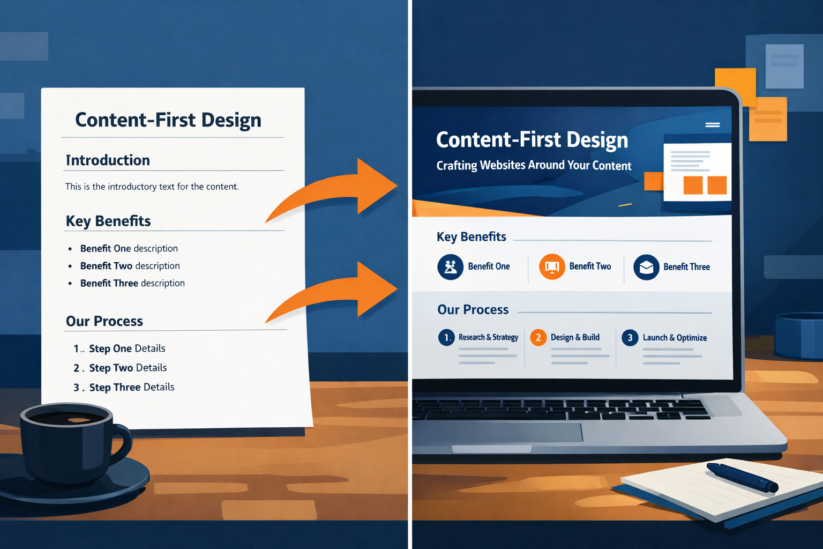
Why Design Without Content Falls Flat
Picture a beautiful store with perfect lighting and great colors. Now imagine walking inside to find empty shelves. That’s what happens when businesses focus on visual design before content.
A content first design approach for websites recognizes a simple truth: design exists to serve your message. When team members start with layouts before knowing what to say, they force content into boxes that don’t fit.
Many web projects fail because they treat content as an afterthought. A website designer creates mockups with fake text, developers build the site, and only then does someone write real copy. This creates sites that look pretty but don’t connect with visitors.
The Power of Content Driven Design
The difference between content driven design vs design driven content matters. Design driven content typically results in:
- Copy that feels forced to fit spaces
- Important messages getting cut
- Generic messaging
- Visitors who leave quickly
When you learn how to integrate copywriting with web design from the start, you create purposeful websites. Your designs work to support your message. This creates better user experiences.
Think about news websites. They build layouts around reading patterns. The design serves the content: helping readers scan headlines and dive into stories they want.
How to Plan Content Before Designing Website
Starting with content means understanding your messaging first. Here’s how to plan content before designing website layouts:
Define Your Core Messages
Before sketching wireframes, answer these:
- What action do you want visitors to take?
- What questions do visitors have?
- What makes you different?
- What tone represents your brand?
Write your key messages in plain language. This builds trust with your design team and creates a foundation for visual design.
Map Your Content Hierarchy
Create an outline showing:
- Hero message (what visitors see first)
- Supporting points (why they should care)
- Proof elements (testimonials, data)
- Action items (what to do next)
This hierarchy guides both writing and design decisions.
Write Real Content First
Skip placeholder text. Write actual copy before designing. This shows:
- How much space you need
- Natural breaks in your message
- Where visuals can help
- What deserves special treatment
Working with real content prevents problems where beautiful designs don’t fit actual copy.
Wireframing with Content Strategy in Mind
Effective wireframing with content strategy in mind bridges messaging and visuals. This is where content and design collaboration best practices shine.
Creating Content-First Wireframes
Traditional wireframes show boxes and fake text. Content-first wireframes include:
Actual headlines: Real words show if the hierarchy works. A headline that seems fine as placeholder might feel wrong when real.
Real body copy: Use actual sentences. This shows if you need two paragraphs or six, which changes layout needs completely.
Real button text: “Click here” means nothing. “Get your free consultation” tells the web designer what space you need.
Image notes: Note what each visual should do. This helps product design and creates better results.
Simple Tools Work
You can create content-first wireframes using basic tools. A Google Doc works better than jumping into design software right away. Write content in sections, then sketch layouts around actual words.
This approach to designing websites with copy as foundation creates a blueprint that serves your message and audience.
Why Good Design Needs Strong Copywriting
Why good design needs strong copywriting goes deeper than looks. Great design amplifies your message but can’t create one.
The Partnership
Consider where design and copy work together:
White space: Designers love it. But you can only use white space when copy is short. Tight writing enables cleaner design.
Typography: Font choices show personality. But they only work when writing matches that personality.
Visual hierarchy: Website designers use size, color, and placement to guide attention. This only works when content has clear priority.
Imagery: Photos should support your message. But they can’t replace clear communication.
Quality Content Expands Options
Strong copywriting expands design possibilities. When your message is clear and short, a website designer can:
- Use bolder layouts
- Create more white space
- Use larger text
- Add visuals that support instead of explain
Weak copy forces designers into busy layouts packed with text. The design gets cluttered trying to fix unclear messaging. This hurts user experiences.
Creating Cohesive Website Content and Layout
Creating cohesive website content and layout means making your site feel unified. This needs planning and collaboration between team members.
Establishing Guidelines
Create a simple guide covering both content and design:
Voice and tone: Define how you talk to customers. Your visual design should match through fonts and colors.
Content templates: Develop templates for common pages (service pages, blog posts, landing page designs). Include both structure and content patterns.
Integration points: Know where design and copy must work together. Headlines, calls to action, and features need coordinated planning.
The Collaborative Workflow
The best content strategy and visual design workflow involves regular check-ins between writers and designers:
Start together: Both should hear project goals at once. This creates shared understanding.
Review in parallel: Share content drafts with your design team. Share designs with writers.
Test together: Review prototypes with real content. Does the layout work? Does the message flow?
Iterate as a team: Be willing to adjust layouts or tighten copy to improve impact.
This integrated content strategy and visual design workflow produces better results. It builds trust between team members and improves digital products.
Integrating UX Writing Into Design Process
Integrating ux writing into design process means every word serves user needs and business goals. UX writing includes all text guiding users through your site.
Microcopy Matters
Microcopy includes button text, form labels, error messages, navigation labels, and help text. People often overlook these, but they greatly impact user experiences. Planning them early creates smoother sites and helps with guiding users.
You can’t complete a form without knowing what questions you’ll ask. A button’s size depends on its text. Navigation needs clear labels.
Creating Systems
Just as visual design systems maintain consistency, content systems do the same for language. Develop standards for terminology, sentence structure, and emotional tone.
These standards enable how to align messaging with website design across your entire site. They improve brand messaging and create better digital products.
Practical Steps for Better Collaboration
Implementing content and design collaboration best practices doesn’t need complex processes:
1. Hold Joint Sessions
Bring writers and designers together for planning. Discuss audience needs, key messages, and tone. This prevents problems later.
2. Create Content Prototypes
Before designing, create simple prototypes showing messaging hierarchy, draft headlines, key points, and button language. Share these for layout exploration.
3. Design with Real Words
Designers should use real content in mockups. Seeing actual headlines reveals issues. This piece of content becomes the testing ground.
4. Review Together
As content and design evolve, review changes as a team. Consider how changes affect both areas.
5. Test with Users
The real test of purposeful web design with content planning is user response. Watch where people get confused or what they skip.
Content Led Design Methodology for Businesses
Adopting a content led design methodology for businesses requires shifting how organizations think:
Build Integrated Teams
Create teams where writers and designers work together throughout projects. This builds trust and improves outcomes.
Invest in Strategy
Recognize that how to integrate copywriting with web design requires skilled strategists. This creates effective marketing strategies.
Embrace Iteration
Launch with strong content and clean design, then improve based on real behavior.
Measure Performance
Track how content performs. Which pages get most engagement? Where do users leave? What calls to action work? Use insights to improve.
Why Content Should Drive Design Decisions
Understanding why content should drive design decisions helps justify this approach:
Content Reflects Goals
Your content says what you want to achieve. Visual design should support these goals. Starting with design means forcing objectives into templates that may not fit.
Users Come for Content
People visit websites to do something. They come for content, not design. Beautiful design with weak content is like a fancy menu at a restaurant with bad food.
Content Drives Search
Search engines rank content quality. While technical factors matter, content is primary. Designing websites with copy as foundation creates better search results.
Content Creates Difference
Your design might look like other sites. Your content, your specific messages, and your unique value create difference. Design amplifies that.
Common Mistakes to Avoid
Watch for these issues:
Starting Design Too Soon
Teams want to jump into design tools before strategy is clear. Resist this. Spend time on content planning first.
Treating Content as Fill-in
Some teams create designs with word counts, then ask writers to “fill in” copy. Content should define space needs.
Separating Reviews
When people review content and design separately, they can’t see how well they work together. Always present them together.
Ignoring Mobile
A headline that works on desktop might be too long on mobile. Plan content for all devices from the start.
Real-World Applications
Let’s look at how purposeful web design with content planning works:
Online Stores
Shops must balance product information and appeal. Write descriptions before designing product pages.
Service Businesses
Companies selling services need to explain complex offerings. Define packages before creating layouts. This creates effective marketing strategies.
Content Sites
Blogs rely on organization. Navigation must reflect actual content. Each piece of content needs appropriate treatment.
Building a Content-First Culture
Making this approach stick requires cultural change:
Leadership Support
Leaders must advocate for content-first. When executives value content equally with visual design, teams follow.
Cross-Training
Help designers understand content principles. Help writers understand design fundamentals. This builds empathy.
Shared Metrics
Align around shared goals: user satisfaction, conversion rates, growth. This encourages collaboration.
Celebrate Success
Recognize projects where content and design worked together well. Share examples internally.
FAQ
What is a content first design approach for websites?
It means planning your actual content before designing layouts. You start by understanding what you need to say, write that content, and then design layouts that support your message. This builds trust with users and creates more effective digital products.
How do I integrate copywriting with web design?
Involve both writers and designers from the start. Have writers create drafts before designers create mockups. Use real content in designs. Review work together and adjust both based on how well they work together. This collaboration between team members produces better results.
Why should content drive design decisions?
Content reflects business goals and creates differentiation. Visual design makes content accessible. When design drives content, you force important messages into spaces that don’t fit. This creates better user experiences and stronger brand messaging.
What are content and design collaboration best practices?
Start projects together, share work in progress, review with real content, and work as a team. This prevents common problems. The design team and writers should communicate regularly, not just at handoff points. This builds trust and improves the final product.
How do I plan content before designing a website?
First define your core messages. Map your content hierarchy showing what’s most important. Write real draft copy before creating layouts. This shows actual space needs. Share this with your web designer. This will help them create layouts that meet your needs instead of using generic templates.
What is integrating UX writing into design process?
It means planning all text that guides users (button labels, form fields, error messages, navigation) alongside visual elements. This microcopy impacts user experiences. Planning it early creates smoother sites. You can’t finalize a form without knowing what questions you’ll ask, or design buttons without knowing their text. This is essential for guiding users.
Ready to transform your website into a purposeful experience where words and visuals work together? Start by mapping your core messages before opening design tools.