
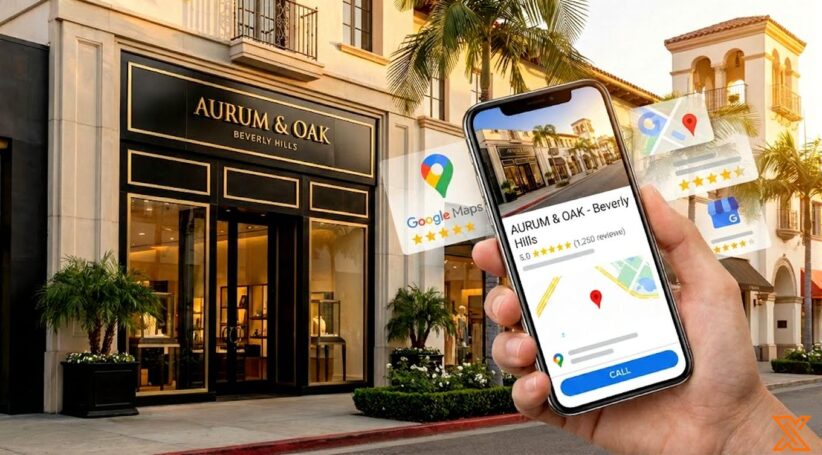
Your Google Business Profile acts as your digital storefront for customers searching in Beverly Hills. When someone searches for “luxury boutique near me” on their phone, your profile helps them find your business or choose a competitor. Learning to optimize your Google Business Profile in Beverly Hills can help you show up in local searches. This can bring more customers to your business.
Why Google Business Profile Matters
Google Business Profile is a free platform that controls how your business appears on Google Map and in search results. Your profile includes business hours, physical address, contact information, photos, products or services, and customer reviews.
When set up correctly, it helps you show up in the “Local Pack.” This is the top three results with map listings. Being in this pack builds trust and increases customer engagement.
For businesses in Beverly Hills, this tool is very important. The local market is competitive, and many people search for premium services. Optimizing your Google Business profile gives you a powerful ranking factor in local searches.
Step 1: Claim and Verify Your Listing
Start by searching for your business on Google Maps. If it appears, click “Claim this business.” If not, create a new listing. The Google Business Profile setup for Beverly Hills companies requires your exact physical address.
Google Business Profile Beverly Hills Verification Steps
Google sends a postcard to your physical locations with a verification code. This usually takes 5 to 14 days.
Once you receive it, enter the code in your dashboard. Some businesses qualify for phone or email verification. Accurate verification is crucial for appearing in local search results.
Pro tip: Make sure your address matches exactly across all platforms before verifying. This consistency helps Google’s algorithm rank you higher.
Step 2: Choose the Right Categories
Categories are one of the most important ranking factors. They tell Google what your business does and which searches should trigger your listing.
Beverly Hills Google Business Profile Category Tips
Your primary category should describe your main service. Select up to nine additional categories that cover other aspects of your business. For example, a restaurant might pick “Fine Dining Restaurant” as its main category. It could also use “Wine Bar” and “Italian Restaurant” as extra categories.
For luxury businesses, use premium-positioned categories like “Luxury Hotel” instead of just “Hotel.” Research competitor categories to see what works in your market. Avoid irrelevant categories that confuse customers or violate Google’s guidelines.
Step 3: Add Service Areas
If you serve customers at their locations, add service areas. This will help you show up in searches from nearby places like West Hollywood and Santa Monica.
Best Way to Add Service Areas on Google Business Profile
In your dashboard, select “Service areas” and add cities or ZIP codes where you work. Only include areas you genuinely serve. Service-area businesses can hide their street address, but physical locations that customers visit must display their address.
Step 4: Write a Strong Business Description
You have 750 characters to describe your business. Start with a clear statement about what you offer. Work in local keywords naturally without stuffing them in awkwardly.
If you’re implementing Beverly Hills local SEO for your Google Business Profile, align your description with keywords from your keyword research. Highlight what sets you apart, like personalized service or exclusive products. Include practical details like parking or accessibility features.
Avoid promotional language like “best” or “number one.” Keep your tone informative and professional, following Google’s guidelines.
Step 5: Upload High-Quality Photos
Visual content significantly affects customer decisions. Businesses with photos get more direction requests and website clicks than those without.
Google Business Profile Photo Guidelines Beverly Hills
Upload well-lit, professional images of your exterior, interior, products or services, team, and business in action. Your cover photo should make a strong first impression.
Use images sized at least 720×720 pixels for squares or 720×540 for landscapes. Save files as JPG or PNG under 5MB. Optimize for mobile devices, since most local searches happen on phones.
Why Google Business Profile Photos Matter for Beverly Hills Businesses
In a luxury market, visual presentation communicates quality. High-quality photos show you meet Beverly Hills standards. Google’s algorithm also prioritizes profiles with more visual content, improving your local search results ranking.
Pro tip: Add new photos monthly to keep your profile active and engaging.
Step 6: Manage Reviews Strategically
Reviews influence rankings and customer decisions. Google considers review quantity, quality, and recency when determining your position.
How to Manage Reviews on Google Business Profile Beverly Hills
Ask satisfied customers to leave reviews. Train staff to request feedback after positive experiences. Never offer incentives for reviews, as this violates Google’s guidelines.
Respond to every review. Thank customers for positive feedback and address negative reviews professionally. Offer to resolve issues offline by providing contact information. Quick responses build trust and show you value feedback.
Most people read reviews before choosing a business. A mix of mostly positive reviews with occasional criticism appears more authentic than perfect ratings.
Step 7: Post Regular Updates
Google Business Profile lets you share updates, offers, and events directly on your listing.
Google Business Profile Posting Strategy Beverly Hills
Post at least weekly to signal activity to Google’s algorithm. Share product updates, events, offers, and news. Each post can include up to 1,500 characters, but shorter posts (300-500 characters) work better.
Include a high-quality image and call-to-action button. Posts stay visible for seven days, so consistent posting keeps your profile fresh.
Pro tip: Repurpose content from blog posts and social media for your Google posts. This saves time while maintaining consistency across your landing page and other marketing channels.
Step 8: Understand Ranking Factors
Three main ranking factors determine your position: relevance, distance, and prominence.
How to Rank Higher on Google Maps Beverly Hills
Relevance measures how well your business matches search queries. Accurate categories and local keywords in your description improve relevance.
Distance considers how far you are from the searcher. You can’t change location, but you can optimize other factors.
Prominence reflects your reputation. Google evaluates this through reviews, backlinks, local citation listings, and online presence. Build high-quality backlinks and maintain consistent information across all platforms.
If you use strong local SEO strategies for your Beverly Hills website, it will improve your Google Business Profile.
Google Business Profile Near Me Ranking Strategies Beverly Hills
“Near me” searches rely on GPS location. To appear in these results, complete your profile fully, update it regularly, earn positive reviews, and post consistently. Strong local SEO strategy performance increases your chances of appearing when customers are near your physical locations.
Step 9: Complete Contact Information
Include your primary phone number, website URL, and email address. Make sure business hours are accurate and update them for holidays.
Pro tip: Add special hours for holidays in advance. This prevents customer frustration and shows attention to detail.
Step 10: Maintain Consistency
Your business name, address, and phone number should match exactly across all online directories. This consistency strengthens your local SEO strategy and helps Google’s algorithm rank you better.
Google Maps Listing Optimization for Beverly Hills Address
List your business in directories like Yelp, Yellow Pages, and industry-specific sites. Each local citation should match your Google Business Profile exactly. Remove duplicate listings that split your reviews and confuse customers.
Beverly Hills Google Business Listing Best Practices
For luxury businesses, emphasize quality in your description. Use professional photography that captures elegance. Add attributes like “Private appointments available” or “Valet parking” that appeal to luxury consumers.
Google Business Profile Tips for Luxury Businesses in Beverly Hills
Maintain a professional tone when responding to reviews. Handle negative feedback graciously. Consider pricing transparency based on your business model. Some luxury businesses prefer to discuss pricing individually after establishing value.
Organize products or services into logical categories. Keep your offerings updated as they change. This helps customers understand what you provide and improves their experience.
Measuring Success
Track these metrics to measure your optimization efforts:
- Search impressions show how often you appear in local search results
- Click-through rate measures how many people take action after seeing your listing
- Phone calls and direction requests indicate customer interest
- Review growth reflects increasing engagement
- Website traffic from your profile shows discovery through Google Map
Set specific goals, like increasing direction requests by 20% over three months.
Frequently Asked Questions
How long does Google Business Profile verification take in Beverly Hills?
Verification by postcard takes 5 to 14 days. Google mails a code to your physical address. Some businesses qualify for instant phone or email verification.
What categories work best for Beverly Hills businesses?
Choose specific categories that describe your main service. Add up to nine additional categories. Luxury businesses should use premium-positioned options when available. Categories are a critical ranking factor.
Can I hide my street address?
Service-area businesses can hide their address. However, physical locations where customers visit must display their address per Google’s guidelines.
How often should I post updates?
Post at least weekly to keep your profile active. Consistent posting signals to Google’s algorithm that your business is engaged, improving your local search results ranking.
Do reviews affect rankings?
Yes, reviews are a major ranking factor. Google considers quantity, quality, and recency. More positive reviews improve both rankings and customer trust. Reviews build trust with potential customers.
What photo sizes should I use?
Use images at least 720×720 pixels (square) or 720×540 (landscape). Save as JPG or PNG under 5MB. Optimize for mobile devices where most searches happen.
How should I handle negative reviews?
Respond professionally and quickly. Acknowledge concerns and offer to resolve issues offline. Provide contact information. Many customers update reviews after problems are resolved.
Should luxury businesses show pricing?
This depends on your approach. Pricing transparency helps qualify leads but some luxury businesses prefer individual pricing discussions. Consider using ranges like “$500+” if you include prices for products or services.
Can I manage multiple locations?
Yes, you can manage multiple physical locations from one account. Each needs unique information. Update business hours and contact information separately for each location.
How do I appear in "near me" searches?
Complete your profile fully, maintain accurate information, earn reviews, and post regularly. Strong overall local SEO strategy performance increases visibility in “near me” results on Google Map when customers are nearby.
Turn Optimize Google Business Profile Beverly Hills into a clearer next step
Optimize Google Business Profile Beverly Hills becomes more useful when the takeaway is connected to web design company support, website clarity, and measurable lead quality. PX Media can turn Optimize Google Business Profile Beverly Hills into a practical review of profile categories, service areas, calls, directions, reviews, photos, and website actions so the next move supports the business instead of adding more noise.
Beverly Hills Web Design Company
Optimize Google Business Profile Beverly Hills pairs well with Beverly Hills Web Design Company when you want a clearer next move before changing campaigns, design, or measurement.
Custom Website Design
Custom Website Design gives Optimize Google Business Profile Beverly Hills a stronger follow-through path for planning, service review, and practical action.
Beverly Hills Digital Marketing Agency
Beverly Hills Digital Marketing Agency can connect the ideas around Optimize Google Business Profile Beverly Hills with a more focused service conversation.
Blog & Press
Optimize Google Business Profile Beverly Hills often leads into Blog & Press when the goal is better clarity, cleaner tracking, or stronger lead quality.
Talk To Us
Talk To Us can help turn the takeaways from Optimize Google Business Profile Beverly Hills into a more specific plan for your business.
Questions that come up after Optimize Google Business Profile Beverly Hills
How does Optimize Google Business Profile Beverly Hills fit into a practical web design company support plan?
Optimize Google Business Profile Beverly Hills can help clarify where web design company support needs more attention, especially around profile accuracy, local relevance, photos, review signals, and conversion actions. With Optimize Google Business Profile Beverly Hills as the starting point, PX Media shapes next steps that are easier to measure and easier for visitors to act on.
What should a business review before acting on Optimize Google Business Profile Beverly Hills?
Before making changes after Optimize Google Business Profile Beverly Hills, it helps to review profile categories, service areas, calls, directions, reviews, photos, and website actions. That keeps decisions around Optimize Google Business Profile Beverly Hills grounded in real visitor behavior, lead quality, and the business outcome that matters most.
When is it worth asking PX Media for help after Optimize Google Business Profile Beverly Hills?
It is worth asking for help when the issue behind Optimize Google Business Profile Beverly Hills feels scattered, hard to measure, or disconnected from qualified inquiries. PX Media can review the current setup and help turn Optimize Google Business Profile Beverly Hills into a clearer action plan.
Need help applying Optimize Google Business Profile Beverly Hills?
PX Media can review the current setup behind Optimize Google Business Profile Beverly Hills, clarify the strongest opportunity, and connect web design company support with a cleaner plan for visibility, conversion, and follow-up.